← Back to Blog

Siding Contractor Invoice Template

Get a free siding contractor invoice template and learn how to create professional invoices with materials markup and labor costs

By Muhammad Salman

Quick Answer

As a siding contractor, you need an invoice template that accounts for materials markup and labor costs. You can use a free invoicing tool like CatInvoice to create professional invoices with detailed line items, such as vinyl siding installation per square foot or fiber cement siding repair per hour.

This guide is for siding contractors who want to create accurate and detailed invoices for their clients, including homeowners and construction companies.

Understanding Siding Contractor Invoicing

Siding contractors bill their clients for materials and labor costs. The materials markup can range from 10% to 30% of the total materials cost, depending on the type of siding and the client's location. Labor costs are typically calculated per hour or per square foot of siding installed.

For example, a siding contractor may charge $3.50 per square foot for vinyl siding installation, with a materials markup of 15%. The labor cost for a crew of two workers may be $75 per hour.

Required Invoice Fields for Siding Contractors

Field Description
Client Information Client name, address, and contact details
Job Description Brief description of the siding installation or repair job
Materials Cost Total cost of materials used, including siding, trim, and molding
Labor Cost Total labor cost, including hours worked and labor rate
Subtotal Total cost of materials and labor
Tax Applicable sales tax or VAT
Total Grand total, including subtotal, tax, and any discounts

Sample Line Items for Siding Contractors

  • Vinyl siding installation per square foot: 1000 sqft x $3.50/sqft = $3500
  • Fiber cement siding repair per hour: 10 hours x $75/hour = $750
  • Materials cost for siding trim and molding: $500
  • Labor cost for siding removal: 5 hours x $100/hour = $500
  • Materials cost for siding fasteners and accessories: $200

Creating a Professional Invoice with CatInvoice

Once you have completed a siding installation or repair job, you can create a professional invoice using CatInvoice. Simply enter the client information, job description, materials cost, labor cost, and any other relevant details.

Tabby, the AI assistant, can help you draft an invoice from plain English. You can then customize the invoice template to fit your needs and export it as a PDF.

For example, you can create an invoice with the following line items: vinyl siding installation (1000 sqft x $3.50/sqft), fiber cement siding repair (10 hours x $75/hour), and materials cost for siding trim and molding ($500).

To get started, visit CatInvoice's editor and create your first invoice.

Deposit and Final Balance Payment Terms

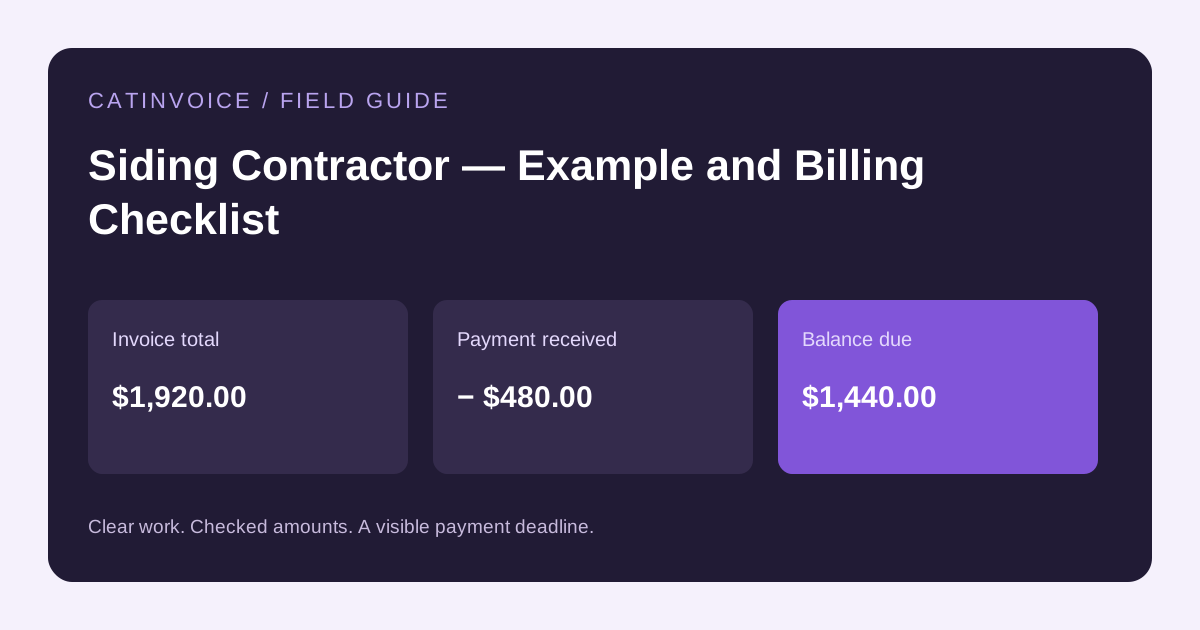
Siding contractors typically require a deposit from clients before starting work. The deposit amount can range from 10% to 30% of the total job cost.

The final balance is usually due upon completion of the job. However, some clients may request a payment schedule or financing options.

It's essential to clearly outline the payment terms in your invoice, including the deposit amount, final balance, and any applicable late fees or interest charges.

Common Pitfalls to Avoid in Siding Contractor Invoicing

One common pitfall is failing to include all the necessary details in the invoice, such as materials cost, labor cost, and tax.

Another pitfall is not clearly outlining the payment terms, which can lead to disputes or delayed payments.

To avoid these pitfalls, make sure to use a detailed invoice template and double-check your calculations before sending the invoice to your client.

You can also refer to other invoicing guides, such as the auto glass technician invoice template or the HVAC controls technician invoicing guide, for more tips and best practices.

Frequently Asked Questions

What is the typical materials markup for siding contractors?

The typical materials markup for siding contractors can range from 10% to 30% of the total materials cost, depending on the type of siding and the client's location.

How do I calculate labor cost for a siding installation job?

Labor cost can be calculated per hour or per square foot of siding installed. For example, a siding contractor may charge $75 per hour for labor or $3.50 per square foot for vinyl siding installation.

Can I use a generic invoice template for my siding contractor business?

No, it's recommended to use a tailored invoice template that accounts for materials markup and labor costs specific to the siding contractor industry.

How do I send and track invoices using CatInvoice?

You can send and track invoices using CatInvoice's editor, which allows you to create, customize, and export invoices as PDFs. You can also use the editor to track payments and follow up with clients.

Getting Started with Siding Contractor Invoicing

Creating a professional invoice as a siding contractor requires attention to detail and a clear understanding of materials markup and labor costs. By using a detailed invoice template and following best practices, you can ensure accurate and timely payments from your clients.

Visit CatInvoice's editor to create your first invoice and take advantage of the free invoicing tool. You can also refer to other invoicing guides on our blog, such as the mobile dog groomer invoice template or the wedding cake designer invoice template, for more tips and best practices.

With CatInvoice, you can create and manage your invoices with ease. The tool is 100% free, and you can access it from any device with a web browser. You can also export your invoices as PDFs and send them to your clients via email.

In addition to creating invoices, you can also use CatInvoice to track your payments and follow up with clients. The tool allows you to set reminders and notifications, so you can stay on top of your invoicing and get paid faster.

By using CatInvoice and following the tips and best practices outlined in this guide, you can create professional invoices and get paid faster. Start creating your invoices today and take your siding contractor business to the next level.

Create a professional invoice with CatInvoice — free, no signup required.

Account
Not required
Invoice branding
No CatInvoice watermark
PDF output
High-resolution image-based PDF plus browser printing
Record storage
Current browser, without automatic CatInvoice account sync
Transfer and backup
JSON export and import, plus CSV history export
Analytics
Optional usage and experience analytics stay off until consent
Product type
Manual invoice editor, not full accounting or payment software

Product facts reviewed .

Questions about the free invoice generator

Is CatInvoice really free forever?

Yes. CatInvoice does not have an invoice-count limit, paid subscription, trial deadline, or credit-card requirement.

Do I need to create an account?

No. Open the editor and create an invoice without registering, signing in, or providing an email address.

Does CatInvoice add a watermark to the PDF?

No. CatInvoice does not place its own branding or watermark on the invoice you download.

Where are my invoices and client details stored?

Drafts, saved invoices, clients, and line items stay in this browser without automatic CatInvoice account sync. Export a JSON backup before clearing browser data or changing devices.

Can I use tax, VAT, discounts, and different currencies?

Yes. The editor supports multiple currencies, tax or VAT rates, discounts, shipping, amount paid, custom invoice IDs, and payment notes.

What kind of PDF does CatInvoice create?

CatInvoice creates a high-resolution image-based PDF and also provides browser printing. Review the A4 preview before sending the finished invoice.

Is CatInvoice accounting or payment-processing software?

No. CatInvoice is a focused manual invoice editor. It does not replace bookkeeping, tax advice, payment processing, or a full accounting platform.

Read the complete FAQ

Built and maintained by Muhammad Salman

CatInvoice focuses on one job: helping independent professionals create and keep clean invoice records without an account.

About the builder · Help center · Privacy policy · Terms

Create a professional invoice without creating an account

Enter the details, check the totals, choose a template, and download a clean PDF.

Create a free invoice